Freestyle Canada
Submit a request
Home > Android

Articles in this section

  • How do I add content to my training plan?
  • How do I cancel my Freestyle Ski Canada subscription on Android?
  • How do I create a team?
  • How do I create a training plan?
  • How do I create an account?
  • How do I delete a training plan?
  • How do I download an article or video?
  • How do I download the Freestyle Ski Canada app on Android?
  • How do I invite and add a team member?
  • How do I join a team?
  • How do I navigate through the app on Android?
  • How do I save and view my favorite videos and articles?
  • How do I search for a video or article?
  • How do I share a Training Plan?
  • How do I switch languages in the app?
  • How do I view the app in French?
  • I forgot my password. How can I reset it?
  • I want to subscribe or become a member of Freestyle Ski Canada, but I don’t have an access code. What should I do?
  • I’m experiencing issues with the app. How can I get help?
  • Where can I view my shared content?

How do I share a Training Plan?

It only takes a few simple steps to share your training plan with your team:

Go to your Training Plans dashboard.
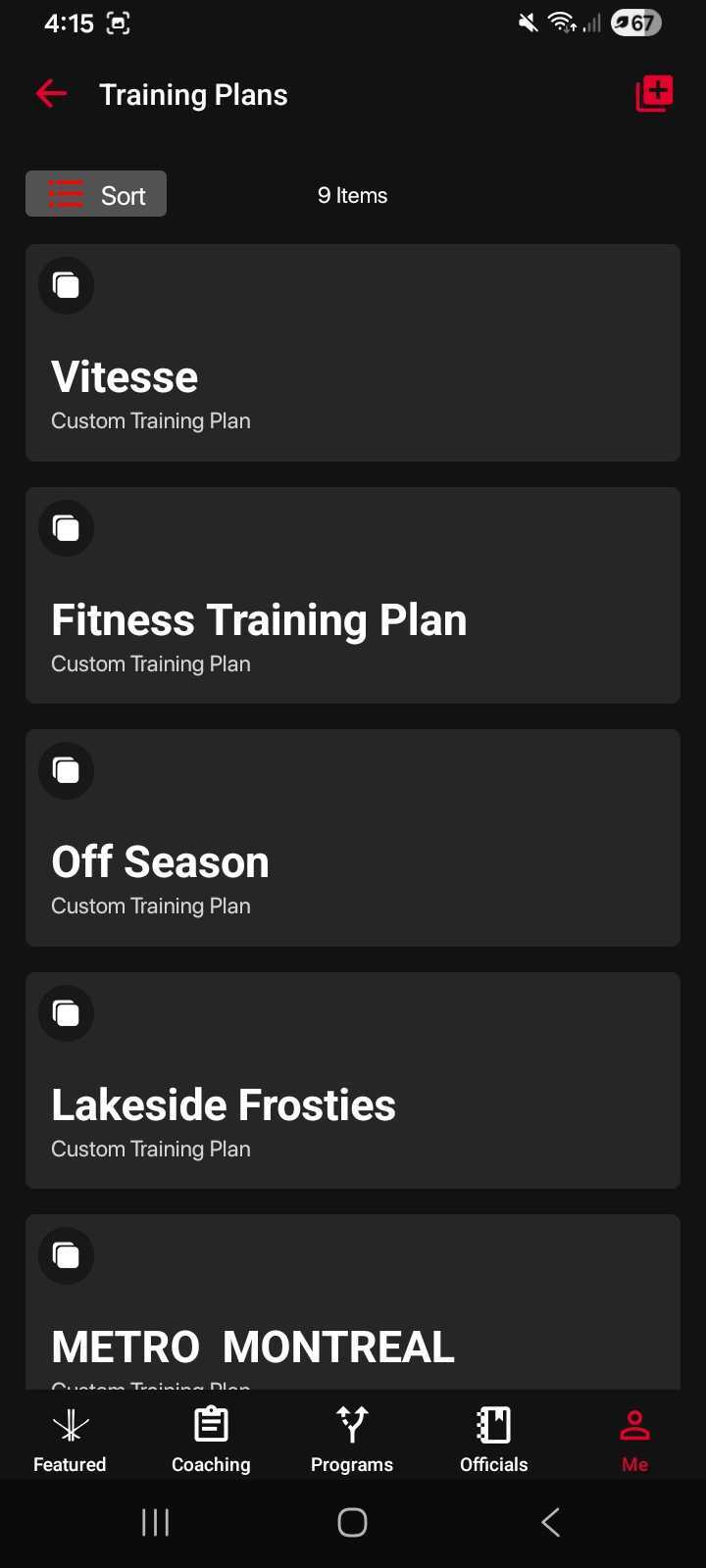
Training Plans
Training Plans

Open the training plan you want to share.
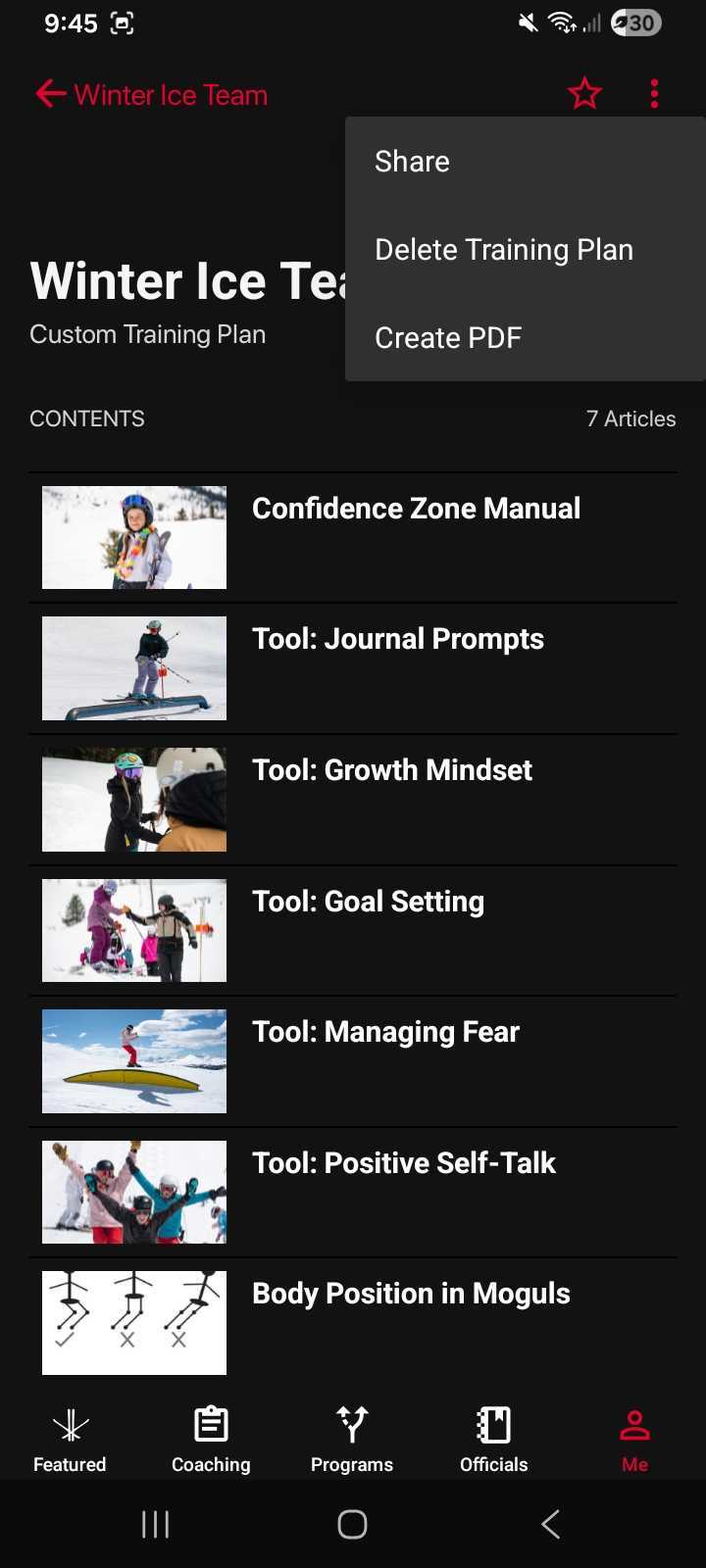
Select Training Plan

Tap the three dots (⋯) in the top-right corner.

Select Share from the menu.
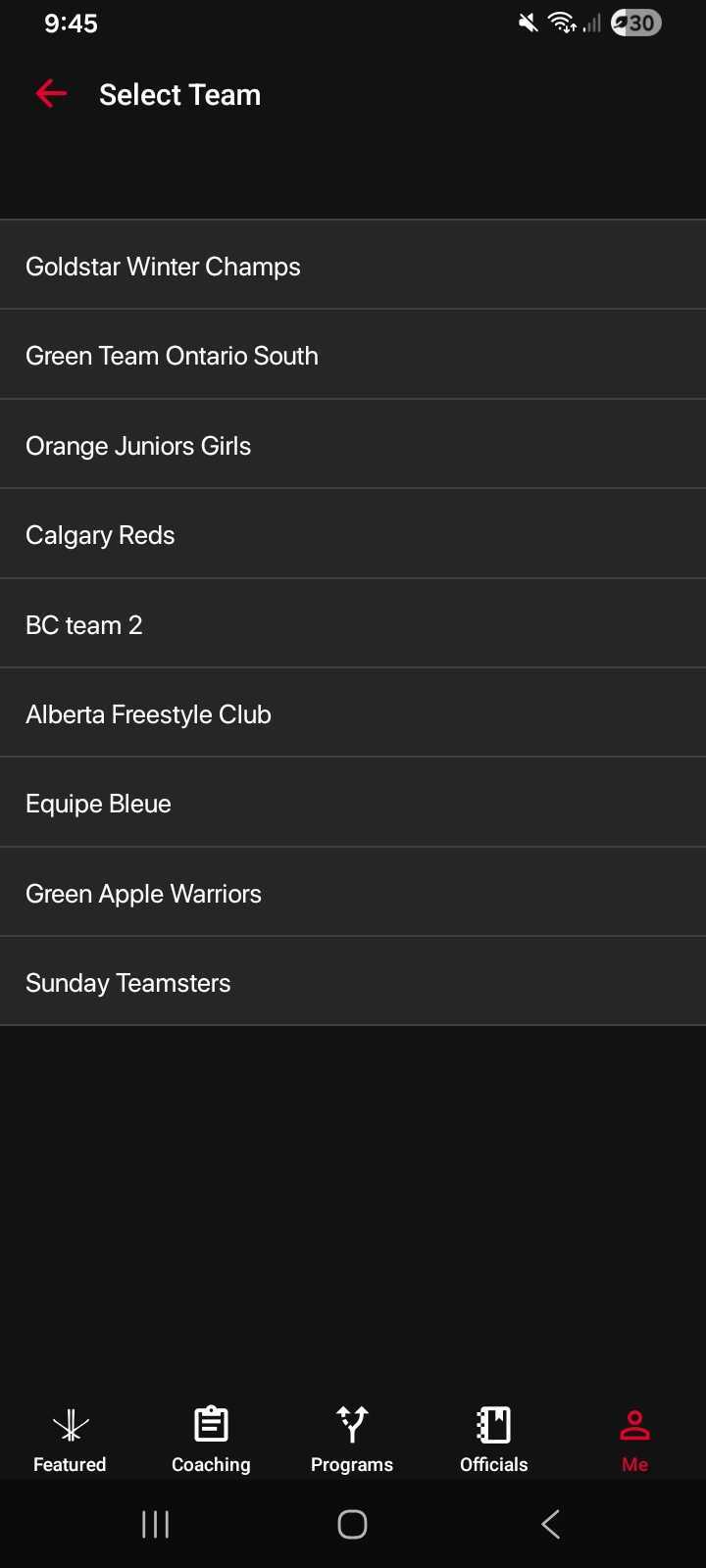
Choose Team
Choose Team

Choose the team you’d like to share it with.
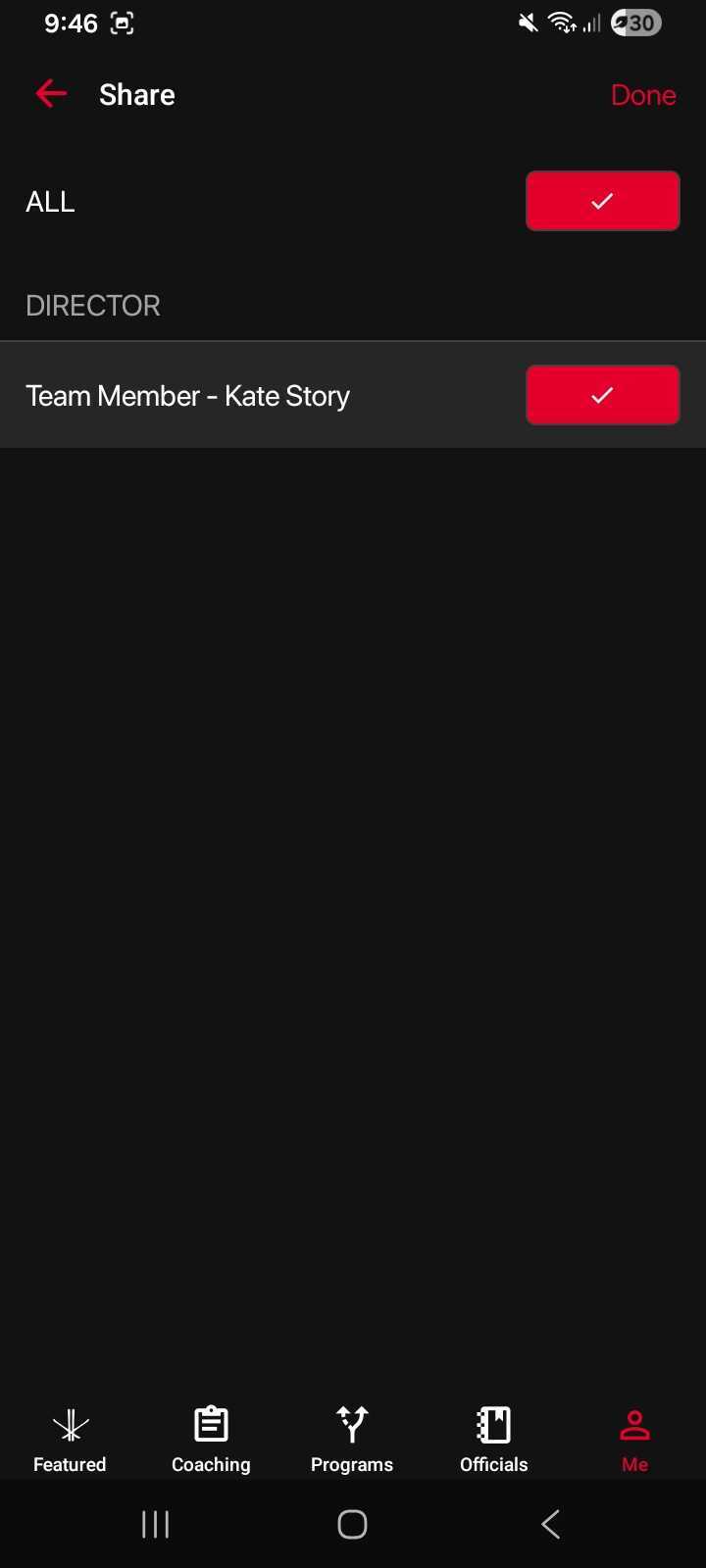
Select Team Members
Select Team Members

Your team members will receive a notification letting them know the training plan has been shared.
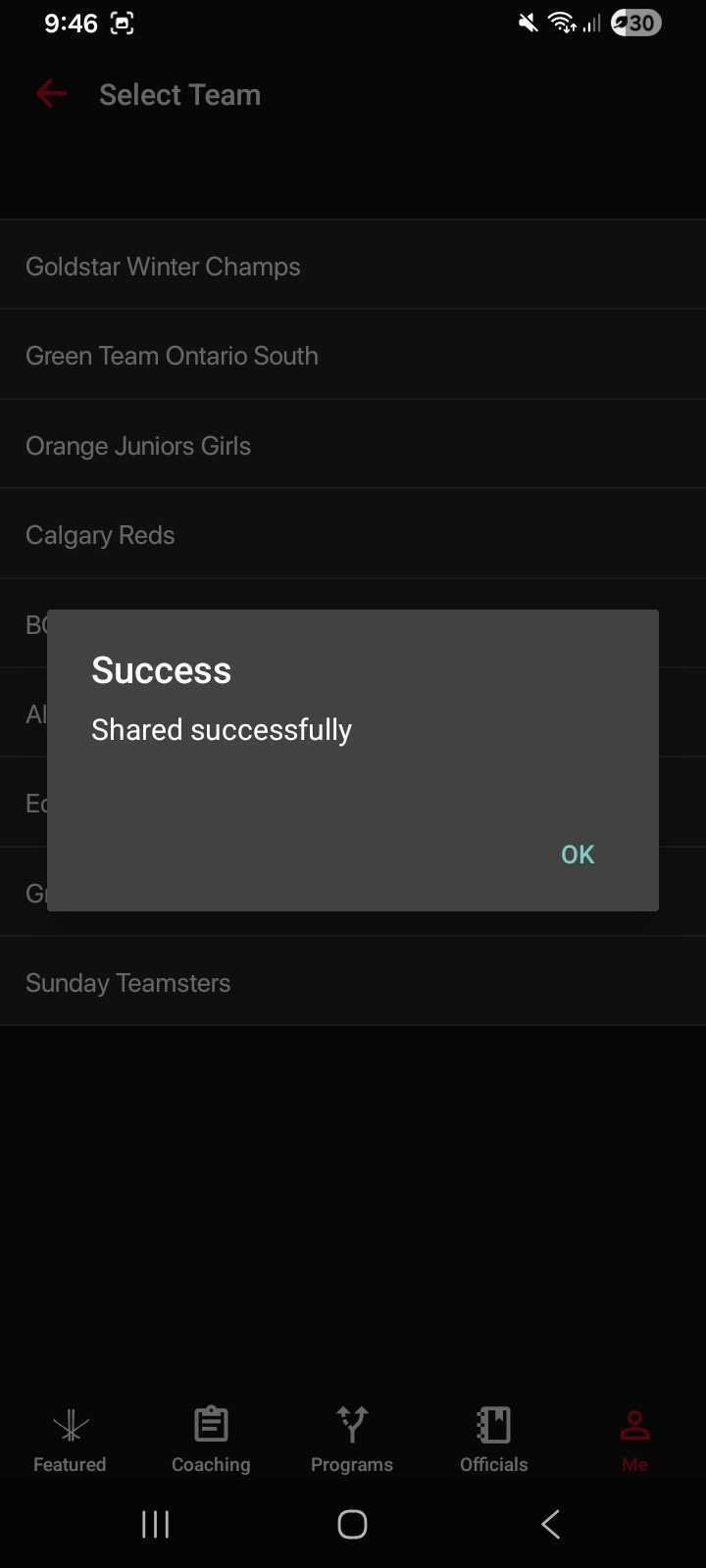
Shared Successfully
Shared Successfully


Was this article helpful?

Still need help?Submit A Ticket

Recently Viewed

  • Article 1
  • Article 2
  • Article 3

Articles in this section

  • How do I add content to my training plan?
  • How do I cancel my Freestyle Ski Canada subscription on Android?
  • How do I create a team?
  • How do I create a training plan?
  • How do I create an account?
  • How do I delete a training plan?
  • How do I download an article or video?
  • How do I download the Freestyle Ski Canada app on Android?
  • How do I invite and add a team member?
  • How do I join a team?
  • How do I navigate through the app on Android?
  • How do I save and view my favorite videos and articles?
  • How do I search for a video or article?
  • How do I share a Training Plan?
  • How do I switch languages in the app?
  • How do I view the app in French?
  • I forgot my password. How can I reset it?
  • I want to subscribe or become a member of Freestyle Ski Canada, but I don’t have an access code. What should I do?
  • I’m experiencing issues with the app. How can I get help?
  • Where can I view my shared content?

Comments

Freestyle Canada © 2026