
You can change the app’s language directly from the settings:
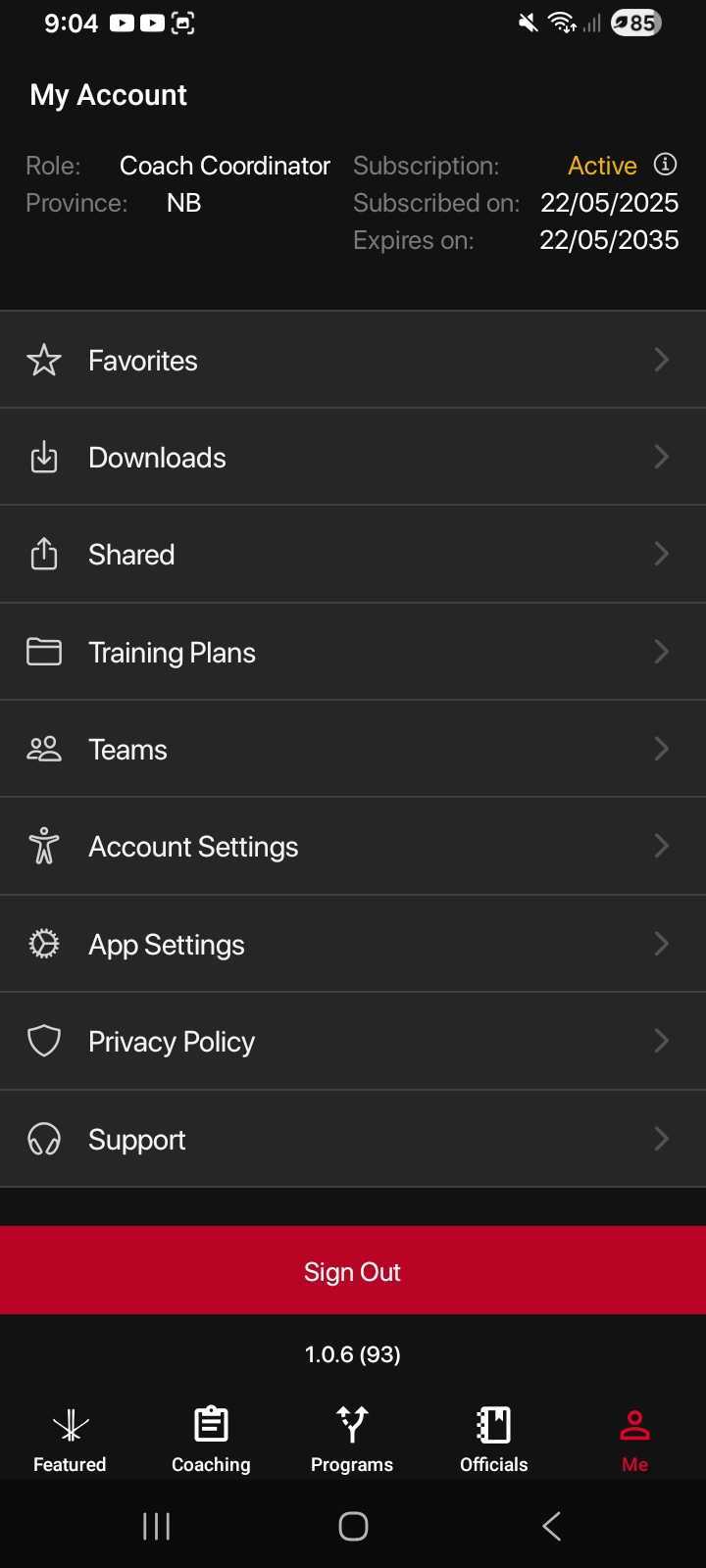
Open the navigation menu and go to the “Me” tab to open My Account.
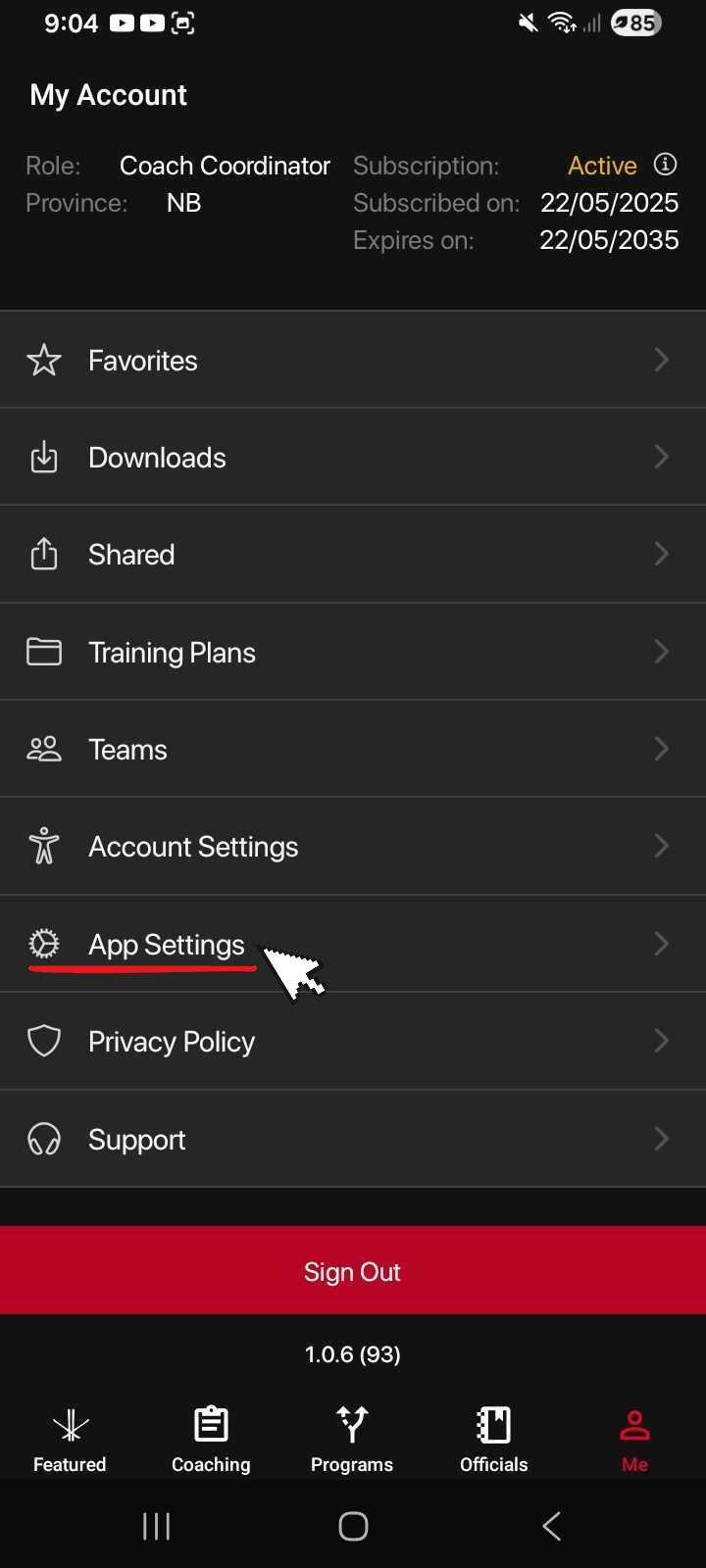
Tap App Settings.
Select the Language option, and from the drop down menu select the language you want to use.
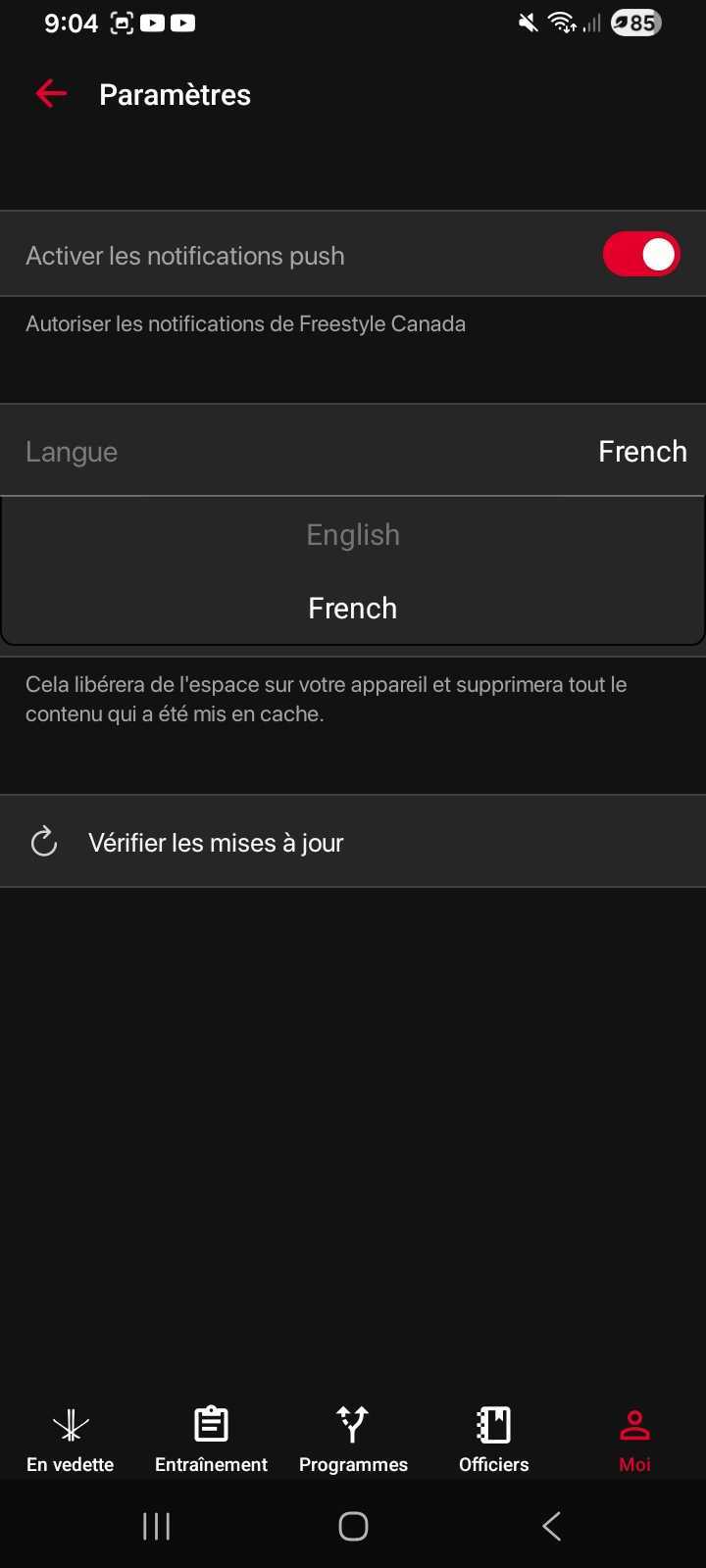
The app will switch right away, and all menus and content will now display in the language you selected.
Was this article helpful?
Still need help?Submit A Ticket